Qidi Plus 4 — Out-of-the-Box Security Teardown
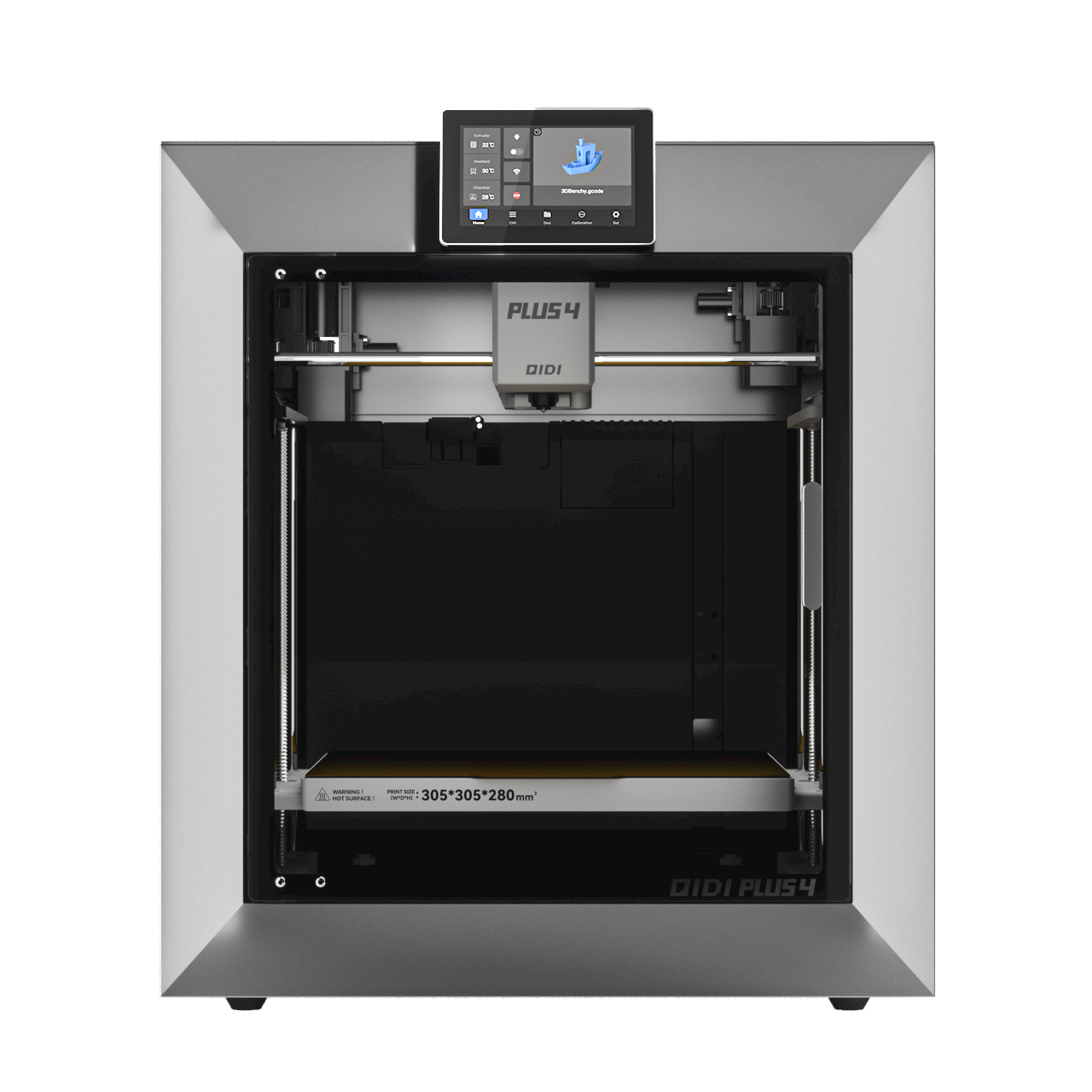
The Qidi Plus 4 is a genuinely good-value CoreXY printer. Enclosed, actively heated chamber, high-speed Klipper motion, and an open ecosystem instead of a walled garden. That openness is also the story here. Before this machine printed a single benchmark, I logged into the little computer bolted to the side of it. I wanted to see what it runs, and what it leaves wide open by default.
What's actually inside
Under the hood the Plus 4 is a small single-board Linux computer driving the printer's real-time controller. A Rockchip-based board in the MKS-PI family. The software stack is the mainstream open-source one that most modern fast printers converged on:
- Klipper for motion, running the actual G-code and talking to the microcontroller.
- Moonraker, the HTTP/WebSocket API that everything else talks to.
- Fluidd as the web interface you reach in a browser.
- An mjpg-streamer webcam feed for watching prints.
This is a good thing. The printer is not a locked appliance. You own it. You can automate it, back it up, fix it. The flip side is that it is a real networked Linux host with everything that implies. Qidi ships it configured for "works instantly on any home network", not "safe on any home network". Those are not the same setting.
The operating system is already end-of-life
The base OS is Debian 10 "buster". Debian 10 reached the end of even its extended LTS support in mid-2024. It stopped receiving security patches well over a year ago. On the unit I looked at, the last package-list update baked into the image was from 2024. No automatic-update mechanism is configured, so it just sits there. Every kernel, OpenSSL and web-server vulnerability disclosed since then is unpatched. It stays that way unless Qidi ships a new firmware image or you update it yourself.
This is common across the whole category. Vendors freeze an old vendored Linux image and rarely refresh the base OS. "Everybody does it" does not make an EOL OS on your LAN fine. It is the single biggest structural issue here, and the one an owner can do least about without vendor cooperation.
Open by default on the network
Look at what the printer listens for, and to whom, and the rest of the story tells itself. As shipped:
- SSH accepts passwords and allows direct root login. Combine that with a known default password and it is a remotely usable login, not a theoretical one. It also offers dated, weak connection ciphers and MACs that modern hardening guidance flags.
- The Moonraker API trusts your entire local network. The factory config marks the whole private-address range as "trusted". Any device on your LAN can drive the printer's API with no login at all. Upload and start G-code, run macros, change settings. On a flat home network that is every phone, laptop, TV and IoT gadget you own.
- The webcam stream has no authentication. The raw MJPEG feed is served openly, so anything on the network can watch your camera without going through the web UI's login.
- There is no host firewall. The printer does nothing itself to limit who connects. It relies entirely on your network to do that.
None of this is exotic, and none of it is a "vulnerability" in the CVE sense. It is default configuration. But the defaults all lean the same direction. Maximum convenience, zero segmentation, trust everything. That is a reasonable choice for a printer that assumes it lives on a trusted network of one. It is a bad assumption for a real household network full of other devices.
Why this matters more than "it's just a printer"
A compromised printer is not only a privacy problem, though the open camera is exactly that. It is a full Linux foothold on your internal network. An always-on box that can scan, pivot and phone out, running an OS that no longer gets patched. On the physical side, unauthenticated control of a machine with a 350°C hotend and a heated chamber is not a risk to wave off. The realistic threat model for a home is not a targeted attacker. It is a worm or a compromised IoT neighbor finding an easy, unpatched, default-credential host sitting right there. This printer is a textbook version of that host.
What to actually do about it
The good news is that the same openness that creates these issues lets you fix nearly all of them yourself in an afternoon. In rough priority order:
- Change the default password immediately, and set up an SSH key. Once you are key-only, turn off SSH password authentication entirely and disable direct root login.
- Put the printer on its own VLAN or an isolated IoT network, and firewall it off from the rest of your devices. This is the highest-leverage move. It contains everything else on this list. Poke a hole only for the one machine you print from.
- Tighten Moonraker's
trusted_clientsto just the hosts you actually use, instead of the whole private range. Then the API requires a login from everything else. - Do not port-forward it to the internet. If you need remote access, use a VPN or an authenticated tunnel. Never expose the web UI or the camera directly.
- Update what you can. Apply Qidi's firmware updates when they ship. Consider enabling automatic security updates on the underlying OS if you are comfortable at the command line, accepting that an EOL base only goes so far.
Verdict
As a printer, the Plus 4 earns its reputation. The hardware is a lot of capable machine for the money, and the open Klipper stack is a feature, not a bug. As a network citizen, it ships about how you would expect for the category and price. An end-of-life OS, a published default password, and a trust-everything posture, none of it flagged to the buyer. That is not a reason to avoid the printer. It is a reason to spend fifteen minutes locking it down before it joins your network, and ideally to give it a segment of its own. Treat it like the small, unpatched Linux server it actually is and it is a great machine. Plug it into a flat network and forget about it, and you have added the easiest target in the house.
Print-quality and long-term reliability impressions are a separate review, once this thing has some real hours on it. This one was about the part that ships switched to "off".