Sync NetBox to Checkmk Automatically with CMDBsyncer
Manually adding every new host or VM to your monitoring system gets old fast. This is a pipeline that keeps a network controller, a hypervisor, an inventory system and a monitoring stack in sync automatically. It also covers the subtle failure modes that break each leg without anyone noticing.
The pipeline
Network Controller --[sync plugin]--> NetBox --[sync tool]--> Monitoring System
Hypervisor         --[sync plugin]--/
Your network controller already knows about every device on your network. A UniFi setup, in this case. Your hypervisor already knows about every VM and container. Proxmox, here. NetBox becomes the single source of truth for both, synced automatically from each side. A sync tool (CMDBsyncer) then pushes NetBox's combined device and VM list into your monitoring system (Checkmk). New devices and new VMs show up monitored without anyone touching any of the three systems by hand.
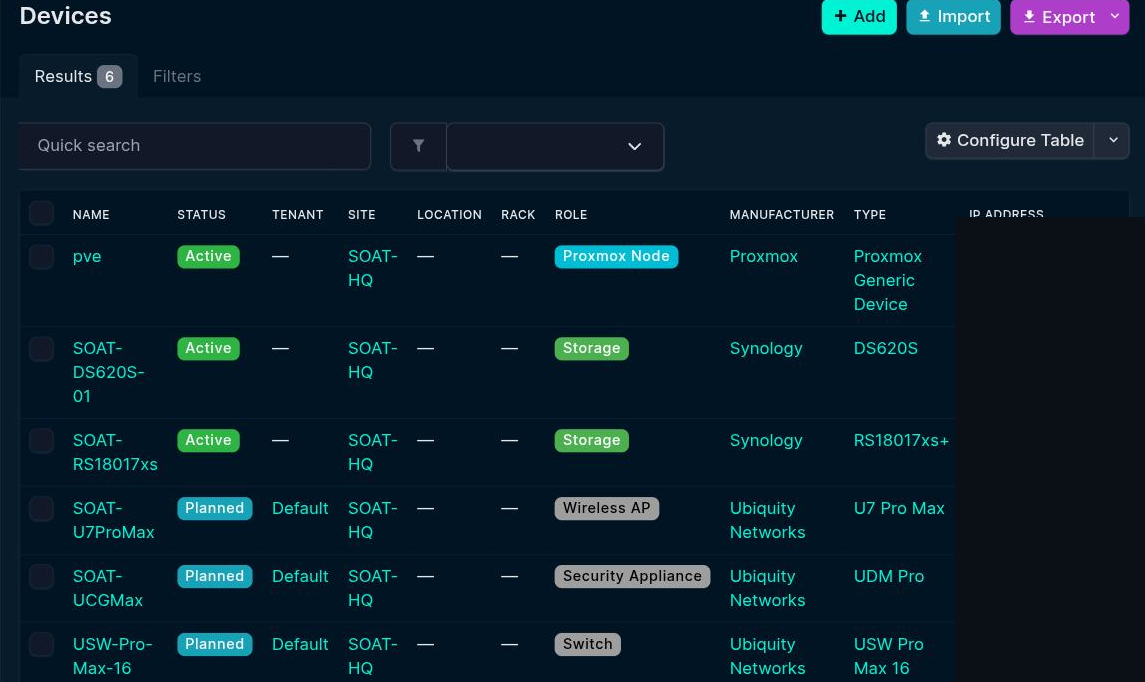
Client devices: inventory only, never monitored
It is tempting to sync every device your network controller sees straight into active monitoring. Phones, laptops, every other ephemeral client. Do not. Alerting on up/down state for devices that are supposed to come and go recreates the notification storm monitoring exists to prevent. A phone leaving the house is not an incident. A laptop going to sleep is not an incident. Sync client devices into your inventory system for asset visibility and stop there. Never let them become monitored hosts.
The silent failure mode: all-or-nothing batch syncs
Lesson: if a new host does not appear in your monitoring system after a sync that reports success, check for other pending hosts with invalid names first. One bad entry in a batch export blocks every other host queued alongside it, and the sync job will not necessarily surface that as an error.
A second layer of the same bug: stale cached identity
Fixing the invalid hostname at the source may not be enough. Renaming the device is only half of it. If your sync tool tracks hosts by an internal database keyed on the hostname string rather than a stable device ID, a rename looks like a brand-new device. The old, invalid-named record sits orphaned in its internal state, still going into every export batch. Check the sync tool's own storage for stale duplicate records, not just the source system, before you assume a rename fixed anything.
Watch for missing required attributes on newly synced hosts
Even after a bulk-create succeeds, newly synced hosts can fail service discovery. Your monitoring system may expect an explicit IP address attribute, with no internal DNS to resolve the hostname otherwise. Compare a working host's configuration against a newly failing one. A missing attribute like this is easy to spot once you know to look, and easy to miss if you assume the sync "worked".
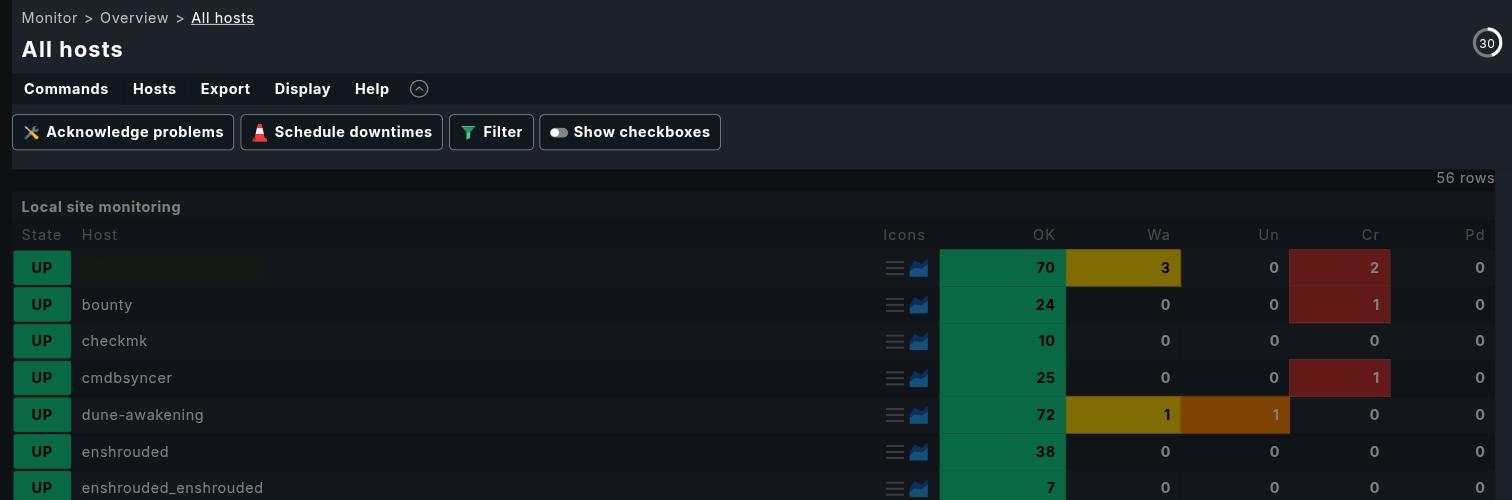
Extending the pipeline to your hypervisor
Add a plugin that syncs your hypervisor's VMs and containers into the same inventory system, rather than doing a one-time manual import. That closes a gap which is easy to overlook. Manually imported inventory records go stale the moment anything changes on the hypervisor. A live sync plugin keeps that from drifting. In this case one that talks to Proxmox's API and writes back into NetBox. Getting the first sync to complete surfaced three separate bugs, all of them instructive.
localhost means "myself", not "my neighbor", even for two
containers on the same physical host. If your inventory system and your sync plugin's backend run as two
separate containers that are not on the same Docker network or Compose project, pointing either at the
other's localhost resolves to itself. It then fails in a way that looks like a networking or
auth problem, not an addressing mistake. Two sibling containers that are not explicitly networked together
have to address each other by the host's real IP, in both directions. Check both sides. Fixing one
leaves the other broken.
Don't trust your monitoring system's "success" response either
Fix: check your monitoring system's own "pending changes" list before you trust an activation response. Better, if the CLI or admin tooling has a lower-level reload command, run that directly instead of going through the API. Most do, since it is what the API calls under the hood. On one instance that cleared an entire multi-day backlog across more than a dozen hosts in a single run. The REST API had never applied any of it, despite reporting success every time.