Route a VLAN Through a WireGuard VPN Without Adding Gaming Lag
Routing a whole network through a VPN for privacy is a one-time, router-level setup. Doing it without making every game on that network feel laggy takes more care. Here are the protocol and provider choices that matter, a real gotcha with reused provider configs, and a test suite that goes well beyond a handful of pings.
Protocol: WireGuard, not OpenVPN
If your router lets you choose a VPN client protocol, pick WireGuard over OpenVPN for anything latency-sensitive. WireGuard's per-packet overhead is meaningfully lower. And critically for gaming, OpenVPN over TCP is a genuinely bad combination. TCP's own retransmission behaviour stacked on top of your game's traffic causes real latency spikes the moment there is any packet loss anywhere on the path. Sometimes called TCP meltdown. If a provider only gives you an OpenVPN config, check whether they also offer WireGuard before you default to whatever downloads first. Most major providers do.
Server choice: proximity beats provider reputation
Physical distance to the VPN server is the single biggest lever on added latency. Bigger than which provider you use. A well-run WireGuard tunnel to a server in the same region adds a handful of milliseconds. The same tunnel to another continent adds tens to well over a hundred. Pick the physically nearest server your provider offers, then treat provider choice as a secondary optimization.
Kill switch: a real tradeoff, not a default "yes"
A kill switch blocks all internet access the instant the VPN tunnel drops, so your real IP never leaks even for a moment. That is the right call where privacy is the whole point, torrenting for instance. On a network whose priority is uptime for gaming, consider leaving it off. A brief VPN blip then falls back to your normal connection for a few seconds instead of dropping every game session on that network at once. Neither setting is objectively correct. It depends which failure mode you would rather have.
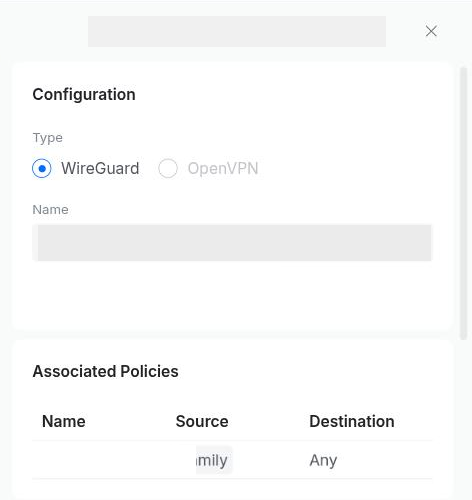
Gotcha: reused-provider configs can collide with each other
Gotcha: some competitive games break under a full-tunnel VPN, even when the tunnel itself is fine
The clean fix is not disabling the VPN for the whole network. Most routers that support policy-based VPN routing let you exclude a specific device from the route while everything else stays tunneled. That is coarser than it sounds. It is device-level, not app-level, so excluding a device takes all of its traffic off the VPN, not just the one game giving you trouble. If that device does anything else you wanted VPN-protected, that protection goes away too. It is not self-maintaining either. A device-list-based route does not pick up new devices added later the way a whole-network route does, so revisit it when your device inventory changes.
Testing it properly. Ping is not enough
A handful of ping replies look perfectly clean while masking real problems that only appear under sustained load or with realistic packet sizes. Run all of the following against the tunnel's own network interface, not just from a device that happens to be routed through it:
1. Confirm a real handshake, not just a "connected" status
Most VPN client status indicators say "connected" purely because the tunnel interface is up. Dashboard UI, systemd status, all of them. That does not prove the far end is talking back. Check the VPN software's own live status output for a recent handshake timestamp and non-zero transfer counters.
2. Confirm actual egress through the tunnel
curl --interface <tunnel-interface> https://ifconfig.meThat should return the VPN provider's exit IP, not your real WAN IP. It proves traffic genuinely routes through the tunnel rather than an interface merely existing.
3. Sustained jitter and packet loss, not a handful of pings
ping -I <tunnel-interface> -c 100 -i 0.2 <a stable target>Look at the jitter figure, mdev, not the average. Consistent jitter under 5ms is fine for gaming. Wide swings are what actually feels bad in-game, more than the raw average latency number.
4. MTU and fragmentation, the failure mode plain ping never catches
VPN tunnels add overhead, which reduces the usable packet size before fragmentation kicks in. Test both ways. Forcing "don't fragment" on an oversized packet should fail above the tunnel's real MTU, which is expected and not a bug. The same oversized packet with fragmentation allowed should pass at 0% loss. If it does not, you have a silent MTU black hole. It will intermittently eat larger game packets, voice data and some game-state payloads, with no obvious symptom pointing back at the cause.
# Expected to fail (informative, not a problem):
ping -I <iface> -s 1400 -M do <target>

# Should succeed at 0% loss (the real test):
ping -I <iface> -s 1400 <target>
5. TCP connection consistency
Many games use TCP for lobbies, matchmaking and voice signaling even when real-time gameplay is UDP. Run several connections in a row and check the connect time stays consistent with no outliers. A flaky path shows up here even when a single ping test looks fine.
6. Throughput sanity check
Gaming itself needs very little bandwidth. Simultaneous downloads, patches and streaming on the same network do. A quick large-file download through the tunnel rules out the VPN as a bandwidth bottleneck.
7. Compare against the non-VPN baseline
Run the same latency test without the VPN, so you know exactly how much overhead you are adding. Judging the VPN's performance in isolation tells you nothing. A well-chosen nearby WireGuard server adds under 15ms, unnoticeable for the vast majority of games. Know that number rather than assuming it.